Canada


If you are not registered for your Achieve course yet:
If you began your purchase journey from your school learning management system (EX: Canvas, Blackboard, D2L, etc) you will need to re-start this process by clicking the link to your Achieve course your instructor shared.
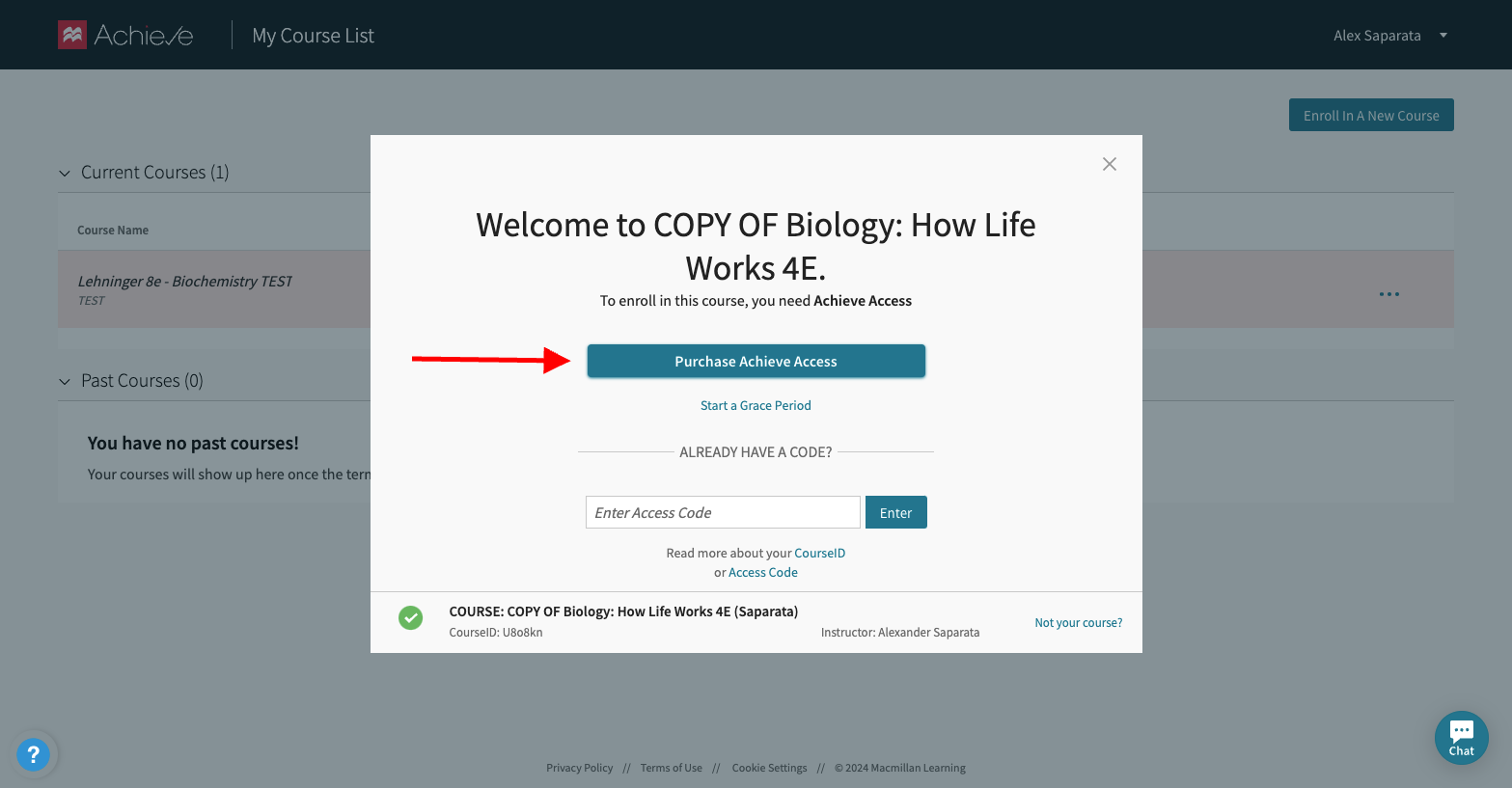
Once in Achieve you should see the following paywall pop up, if you click “Purchase Achieve Access” you will be directed back to the student store to complete your purchase:
If you registered for your Achieve course under the grace period:
You can gain access in one of two ways.
Method 1: From within your Achieve course
At the top of your Achieve course home page you will see a banner letting you know how many days remain in your free trial. Click on the link in the banner to extend access.

Method 2: From the course dashboard
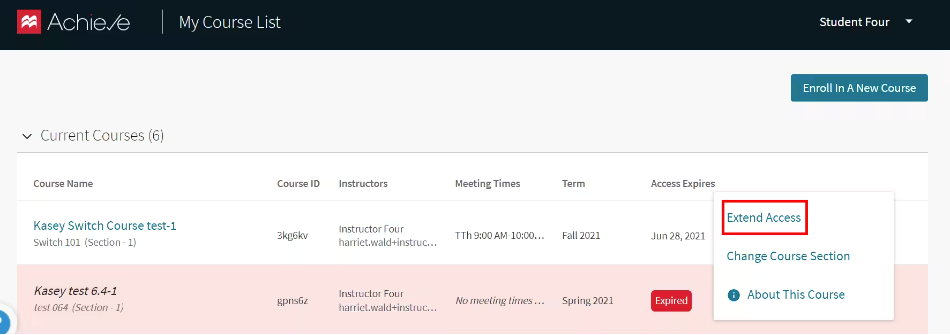
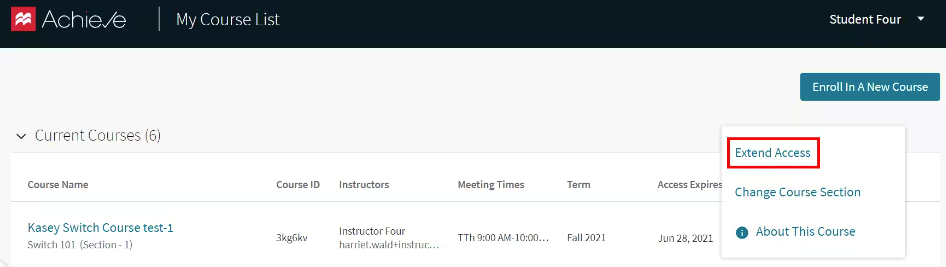
If you see a page with all of your Achieve courses, find the course you want and click the three dots menu, then click extend access. You can see the date your access will expire in the “Access Expires” column.
Courses with expired grace period access will be highlighted in pink and have a red “Expired” tag. You will not be able to enter the course by clicking the title.
Click on the three dots menu to the right of the course, then click extend access.